


Q+A · No. 01 · Files
Which file type do I need?
Most file questions are really output questions. Where the artwork is going decides the file it needs.
Tell us where the file is going and we will send the right one. That single sentence solves most file confusion.
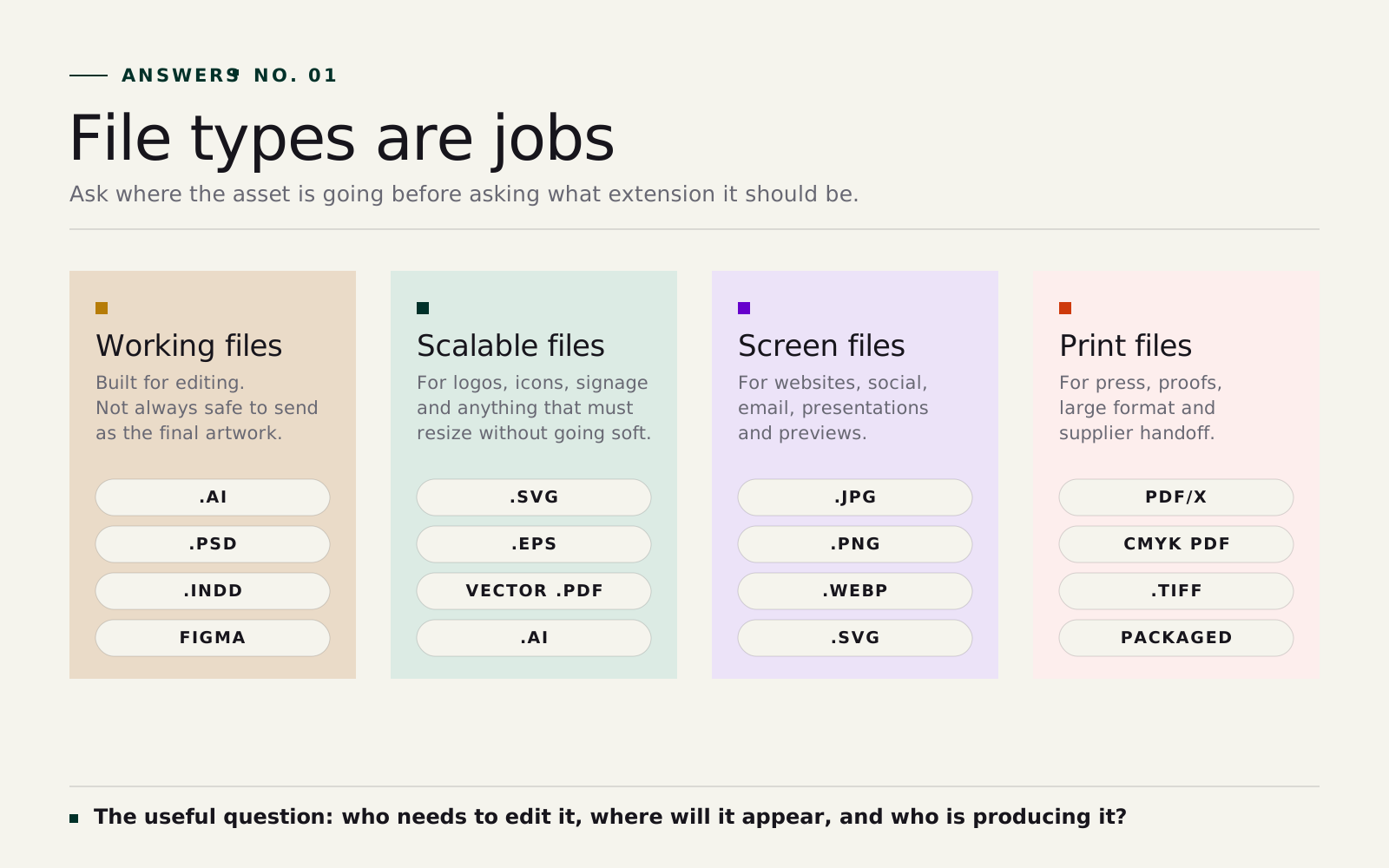
As a rule of thumb: vector files (SVG, EPS, AI) for logos and anything that has to scale, JPG, PNG or WebP for screens, a print-ready PDF for the printer, and the editable source file for anyone who needs to change the design.
The longer answer
Working files are for making the work
Working files are the files designers use while the work is still alive. An Illustrator file (.ai) might hold a logo system. A Photoshop file (.psd) holds layered image editing. An InDesign file (.indd) holds a brochure or report layout. A Figma file holds interface and website design.
These files matter because they stay editable. But they are not always the right thing to send to a printer, sponsor or signwriter, because they rely on fonts, linked images and software the receiver may not have. A good handoff usually includes both: the working file for future editing, and the correct exported files for use.
Vector files are for marks that need to scale
Vector files describe artwork as points, curves and fills, so they can scale to any size without going fuzzy. They are usually right for logos, icons, diagrams and brand marks. The same logo can sit on a business card and a building sign because the file is not a fixed grid of pixels.
- .ai, the Adobe Illustrator source file.
- .svg for websites, icons and digital systems.
- .eps for older supplier and signage workflows.
- .pdf when exported correctly as vector artwork.
Raster files are for images made of pixels
Raster files are made of pixels: photography, web images, social posts, scans and textures. They are not worse than vector, just different. A photograph should usually be raster. A logo should usually be vector.
- .jpg for photographs and compressed images.
- .png for graphics that need a transparent background.
- .webp for efficient website imagery.
- .tiff for high quality print image workflows.
The danger is using a small raster file for a large job. A 600 pixel logo pulled from a website may look fine in an email signature and terrible on a banner. There is more on this in raster versus vector.
PDF is a container, not a magic answer
A PDF can be a low-res proof, a presentation, a print-ready file with bleed and crop marks, a vector logo or a flattened image. The extension is the same; the setup is not. So a production request should say "print-ready PDF with 3mm bleed" or "low-res PDF proof for review", not just "PDF".
What a good logo handoff looks like
When we deliver a brand, the logo pack is small and labelled by use, not a dump of every format under the sun:
- Editable source file (.ai or another agreed format).
- Vector delivery files: .svg, .eps and a vector .pdf.
- Screen files: transparent .png in colour, black and white.
- Print files: CMYK or spot-colour versions as the printer requires.
- A short note on where each file should be used.